![Logo (Black Text)-1.svg]](https://support.haystackteam.com/hubfs/Logo%20(Black%20Text)-1.svg)
📌 MCP integrations are an add-on service that are licensed separately than the core intranet platform. If you're eager to use an MCP integration, please reach out to your Customer Success Manager (CSM) or support@haystackteam.com for more details.
Overview & Value
Bringing your company's intranet directly into your AI workflow transforms how you locate and use knowledge. By connecting Haystack to Claude, you eliminate context switching, manual copy-pasting, and endless tab hunting.
Whether you are drafting internal communications, looking up policy documents, checking department updates, or summarizing cross-functional projects, Claude can securely query your Haystack instance in real time. Instead of relying on static memory or external web results, Claude acts as a deeply knowledgeable assistant equipped with your organization’s up-to-date source of truth.
What is an MCP?
Think of a Model Context Protocol (MCP) as a secure digital bridge between your AI tools (like Claude) and your enterprise software (like Haystack). Just as a USB cable lets your computer plug into accessories like keyboards or monitors, an MCP allows an AI application to plug directly into your company’s internal tools to fetch up-to-date information instantly and safely.
What Your Team Can Do
- Internal Comms: "Turn these meeting notes into a short announcement and save it as a draft in the All Company group."
- HR & People Teams: "Search Haystack for our parental leave policy and summarize it in plain language."
- IT & Help Desk: "Find the Haystack page on requesting a new laptop and give me the steps."
- Managers: "Recap every post from the last month about our office move."
- Anyone: "Create a private Haystack page with a checklist for my first 30 days."
Why Your Team Will Love This
- Answers you can trust: Claude answers from your live Haystack content, with links back to every source.
- From idea to draft in one step: Write in Claude, save straight to Haystack, then review and publish when it's ready.
- Security built in: Claude only sees, and only posts where, each person already can in Haystack.
- You stay in control: Choose which Haystack tools Claude can use, and whether it asks before each action.
MCP Connector Capabilities
Available Now: Search and Read. Search people, teams, posts, events, knowledge pages, and glossary terms from any connected tool, and open the full page or post behind any answer. See Using MCP Search Tools.
Available Now: Post and Page Creation. Draft or publish posts in your groups and create private knowledge pages.
Coming Soon: Events. Create Haystack events right from your AI tools including recurring events.
Have a workflow you'd love to see next? Tell your CSM. We're building the next tools based on your feedback.
Setup Prerequisites & Permissions
- MCP add-on: Your Haystack workspace is licensed for MCP integrations.
- Official connector available: Haystack has an official connector, Haystack MCP Search and Write, in Claude's connector directory. No client ID or secret is needed.
- Claude plan: Connectors are available on [confirm which Claude plans]. On Team and Enterprise plans, an organization owner may need to add the connector before members can use it. [Confirm]
- User permissions: The integration honors each user's existing Haystack permissions. Users can only find, open, and create content they already have access to in Haystack.
Step-by-Step Guide
Connect Haystack to Claude
- In Claude, go to [Settings > Connectors].
- Select [Browse connectors], search for Haystack, and choose Haystack MCP Search and Write.
- Select Connect.
- Enter your workspace name (the word before ".haystack.so" in your Haystack URL), then sign in with your Haystack account and approve access. You'll see a note that the connector can also create posts and pages.
- Start a new chat and ask: "What can you do with the Haystack connector?"
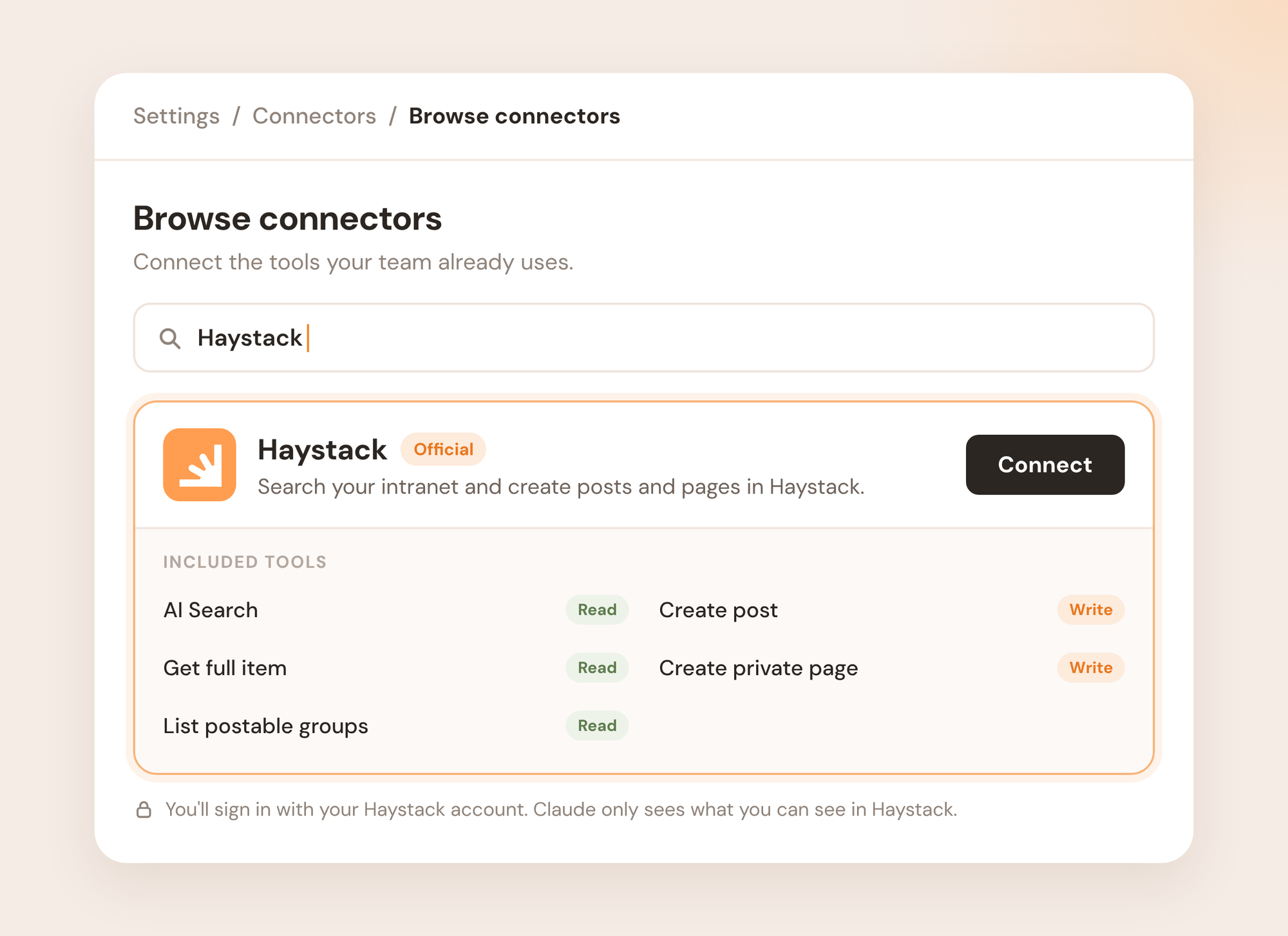
Choose which tools Claude can use
The connector includes read-only tools (search and read) and write tools (posts and pages). You decide how each one behaves:
- Per chat: Turn the Haystack connector on or off from the tools menu in any chat.
- Per tool: In the connector's settings, set each tool to always allow, ask for approval first, or block it.
- For your whole organization (admins): Organization admins can block specific tools for all users from Claude's organization settings. A blocked tool disappears for everyone.
Best Practices
- Be specific in prompts: Ask Claude to target specific teams, document names, or dates (e.g., "Find the Marketing team's Q4 brand guidelines on Haystack").
- Save posts as drafts first: Nothing goes live until you publish it in Haystack.
- Verify confidentiality: Permission boundaries match Haystack's rules. If a document is restricted to HR, non-HR members can't reach it through Claude.
- Keep credentials private: Always log in through the official authentication prompt. Never share login credentials or tokens in a chat.
Need More Help?
- Chat with us: Available via the support bubble on this page. Our AI support agent, Luna, will do her best to answer your questions. Anything she's unable to answer will get routed to us humans.
- Email us: support@haystackteam.com
- Got Feedback? What would make these tools more useful for your team? Your feedback shapes the future of Haystack's MCP connectors. Share it with your CSM or at support@haystackteam.com.