![Logo (Black Text)-1.svg]](https://support.haystackteam.com/hubfs/Logo%20(Black%20Text)-1.svg)
Want to keep your team connected and your projects on track without jumping between apps? Look no further- you can now embed your Monday.com boards and calendars directly in your workspace!
🛡️ Admin Note: Only Workspace Admins have the permissions to add or modify Google Calendar cards on the Main Dashboard. If you don't see the edit options, please contact your system administrator.
Embedding Monday.com Calendars and Boards in Your Workspace
1. Access the Dashboard
Open your main dashboard in Haystack and scroll to the very bottom of the page you wish to add this feature to.
2. Add a New Card
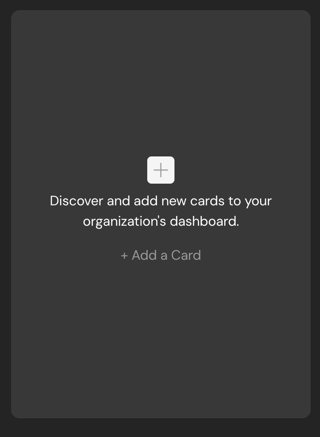
Locate and click the plus sign (+) labeled "Discover and add new cards to your organization’s dashboard."
3. Select the Embed Card
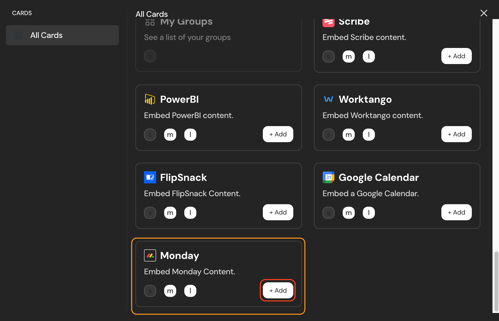
Scroll through the available cards until you see Monday. Click +Add.
4. Generate Your Monday.com Link
Now, head over to your Monday.com board:
-
Click on the "Share" button at the top of your board.
-
Select the "View" or "Publish" option.
-
Ensure you have a Public Link generated.
-
Copy the URL or Embed Code.
5. Paste & Save
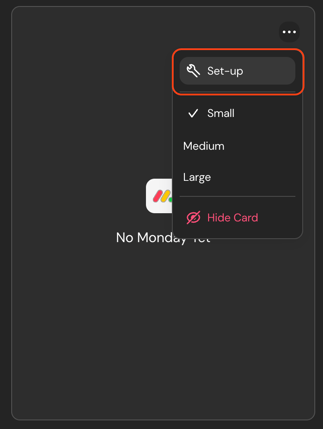
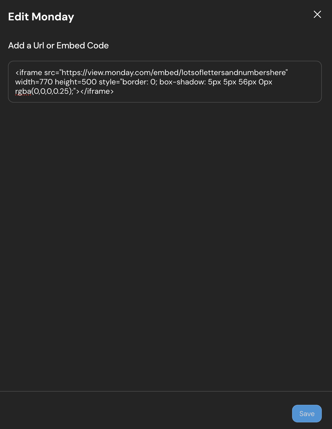
Return to your dashboard card, click the three dots (...) to select Set up, and paste your Monday.com URL or Embed Code into the designated field. Hit Save!
6. Adjust Your View
Choose your preferred display size—Small, Medium, or Large—to ensure your project board or calendar is perfectly visible by clicking the three dots (...) in your dashboard card.
📢 Pro Tip: Team Sync! 👥 Need your whole team on the same page? Group Admins can embed specific calendars directly within Group dashboards. Simply follow the steps below!
Embedding Monday.com into Posts and Pages
Need a world where your Monday.com calendar lives within a post, a group or a page you create? No worries- we've got you covered.
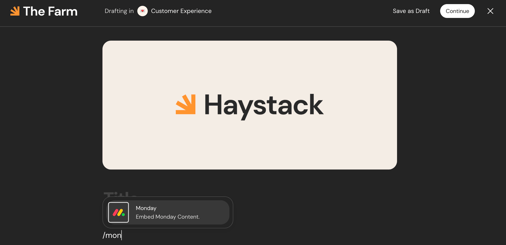
Once you have your space ready, it is as simple as hitting the backslash (/) and begin typing in "Monday" (see image below) until you see it appear. From there, you will follow Steps 4-6 from above and voila- you have the calendar of your choosing where you and your team need it most!
Cautionary Notes
-
Privacy Check: Ensure your Monday.com board is set to "Shareable" or "Public" view so that your team members can see the content.
Need more help? If you run into any snags, feel free to reach out to our support team by filling out a short ticket HERE or check out the video link above! Happy scheduling! ✨
Keywords: Monday.com, Dashboard, Embed Board, Monday Integration, Project Tracking, Add Card, How to embed Monday, Monday.com URL, Public Board, Dashboard cards, Adoption, Engagement, Team Workflow, Monday Widget, Project Management, Dashboard setup